

Email Marketing for Small Business: What Actually Works (And What to Skip)

The honest version: email marketing is the single highest-ROI channel most small businesses ignore, but only if you do three things well. Build a list of people who actually want to hear from you. Send messages they’d miss if you stopped. Stick with it long enough to compound. Everything else, the platform choice, the templates, the AI tools, is downstream of those three.
Email marketing for small business is the practice of using email to nurture relationships with prospects and customers, drive repeat purchases, and build a direct audience you own. Done well, it generates an average return of $36 for every $1 spent, according to Litmus research on email marketing ROI. The catch: those returns require a quality list, consistent sending, and content people genuinely want, not a fancier tool.
I’ve set this up for dozens of small businesses across services, retail, and ecommerce. What I keep seeing is the same pattern. Owners chase the wrong question (which platform?) when the real question is whether they’re ready to commit to it at all. This guide is the version of the conversation I’d have with you if you hired me for an hour. If you’re running a SaaS product specifically, the playbook shifts in important ways, so I wrote a separate piece on email marketing for SaaS companies. Everyone else, keep reading.
When Email Marketing Is Worth the Investment (And When It Isn’t)
Every vendor blog tells you email is for everyone. It isn’t. Here’s the part nobody selling you a platform will admit.
Signs you’re ready to invest in email
- You have a product or service with genuine repeat purchase potential. Coffee subscriptions, accounting services, ecommerce with a 60-day reorder cycle, online courses. Email pays for itself when you have a reason to talk to the same person more than once.
- You can commit 2 to 3 hours a week. Writing, list maintenance, reviewing reports. Not 30 minutes. Not “we’ll batch it quarterly.” Two to three hours, every week, for at least six months before you judge results.
- You have a legitimate way to capture emails. A website with traffic, an in-store point of sale, a podcast, a community. Something that produces a steady trickle of new subscribers.
- You actually have something to say. Sounds obvious. It’s the thing most owners skip. If you can’t list 10 topics your audience would care about, the platform won’t save you.
Signs to wait or skip
- You’re pre-product. Build the product, get to your first 50 paying customers, then come back. An email list without a thing to sell is a hobby.
- Your “list” is 50 friends and family. Engagement won’t be real. The data will lie to you. Wait until you have organic demand.
- You can’t write consistently and can’t afford to hire someone who can. A dormant list is worse than no list because cold subscribers signal to inbox providers that your sends are unwanted.
- You sell a true one-time purchase with zero upsell, cross-sell, or referral path. A wedding photographer with no print upsells and no referral incentive will struggle to justify the time.
In my experience, the marginal case looks like this. A local plumber with 80 happy customers who all found him on Yelp probably shouldn’t make email marketing his top priority this quarter. His next dollar belongs in Google Business Profile optimization and referral incentives. A B2C subscription brand with a freemium tier and 2,000 monthly sign-ups? Email should be the first hire on the marketing team’s docket.
If you read that and thought “I’m in the marginal zone,” that’s the most useful self-diagnosis you can make. It means you can pilot email without betting the business on it, and you’ll know within 90 days whether it earns its keep.
What You Actually Need to Get Started
Three things, in order of importance: a source of subscribers, a platform, and a clear sense of what your first three emails will say. Most owners flip that order. They pick a tool, design templates, then realize they have no one to send to.
Your List: The Part Everyone Gets Wrong
Don’t start with a platform. Start with where your subscribers will come from. If you can’t answer that question in one sentence, you’re not ready for the tool.
There are three legitimate sources of email subscribers for a small business:
- Your existing customers. People who’ve already bought from you and gave you their email at checkout. This is your starting list. Get explicit opt-in before you start sending marketing content, even if they’re already in your CRM.
- Organic opt-ins from your website. Footer signup, exit-intent form, content gate on a high-traffic post. Slow but high quality.
- Lead magnets. A useful free resource (checklist, calculator, template) in exchange for an email. Works well for service businesses and B2B.
What I tell clients: the minimum viable list to justify the operational overhead is roughly 500 engaged subscribers. Below that, you’re spending more time on email than email is generating for you. Above that, it starts to pay back. The number isn’t magic; the principle is. If your list is too small to produce meaningful feedback signals (a few dozen clicks, a couple of replies), you’re flying blind.
Choosing a Platform: A Framework, Not a List
Every “10 best email platforms” article is a vendor affiliate post. Here’s how I actually decide with clients:
- By business stage. Under 1,000 subscribers and just starting? Optimize for free tier and a gentle learning curve. Over 10,000 and you’re running automations? Optimize for deliverability and reporting depth.
- By technical comfort. If your team includes someone who can read API docs, your options expand. If you’re a solo owner who wants drag and drop, your options narrow. Pick for the user, not the org chart.
- By business model. Ecommerce needs deep integration with your store (abandoned cart, post-purchase flows). Service businesses need solid newsletter and segmentation. Creators and coaches need easy tagging and automations.
I’ll get specific in the comparison table below.
Your First Three Emails
Before you automate anything, write these three emails manually and send them to a small segment. You’ll learn more in one week of manual sends than in three weeks of building flows.
- The welcome email. Sent immediately when someone subscribes. This is the most-opened email you’ll ever send (typical open rates run 50% or higher). Use it. Tell them who you are, what they can expect, and give them one tangible thing of value right now.
- The educational or value email. A few days later. Something useful that has nothing to do with selling. A tip, a story, a behind-the-scenes look. Establish that subscribing was worth it.
- The soft CTA email. A week or so in. Now you can ask for something: a free consult, a trial, a small first purchase. Soft, not aggressive. If you’ve earned attention with the first two, this one converts.
Don’t try to automate everything before you know what works. The automation comes later, and we’ll get to that in the section on what to send.
Platform Comparison
This isn’t a “best of” list. It’s a framework. Each of these tools is the right answer for someone and the wrong answer for someone else.
| Platform | Best For | Free Tier | Starting Paid Price | Standout Feature | When to Upgrade or Switch |
|---|---|---|---|---|---|
| Mailchimp | True beginners with a tiny list who want a familiar brand | 500 contacts, 1,000 sends/month | From around $13/month | Massive integration library, brand familiarity | When you outgrow the free tier and want better automation logic without the price jump |
| Kit (formerly ConvertKit) | Creators, coaches, course sellers, solopreneurs | Up to 10,000 subscribers (limited features) | From $29/month | Best-in-class tagging and visual automation builder for creators | When you need ecommerce-specific flows Kit doesn’t natively offer |
| ActiveCampaign | Service businesses and B2B with complex sales cycles | None (14-day trial) | From around $19/month (Starter) | CRM plus marketing automation in one platform | When you need a dedicated sales CRM and your automations have outgrown the Starter plan |
| MailerLite | Cost-conscious SMBs who want clean design and solid features | 1,000 subscribers, 12,000 emails/month | From $10/month | Best value for the feature set; clean, modern editor | When you need advanced CRM features or deep ecommerce integration |
| Klaviyo | Ecommerce, especially Shopify stores | Up to 250 contacts, 500 sends/month | From $20/month | Deepest ecommerce data integration and predictive analytics | Stay here as you scale; switching costs are real once flows are in |
| Beehiiv | Newsletter operators and creators monetizing content | Up to 2,500 subscribers | From $39/month | Built-in monetization (ads, paid subscriptions, referrals) | When you need full ecommerce or service business automation, switch to a marketing platform |
Pricing and tier details shift constantly. Verify on the vendor’s site before you commit. The principle holds: pick the tool that matches how you’ll actually use it, not the one with the most features.
One more thing on platforms. Switching costs are real. Re-creating automations, migrating subscribers without triggering re-confirmation requirements, redesigning templates, it eats weeks. Pick something you can grow into for at least 18 months. Don’t pick the cheapest tool today if you’ll outgrow it in six months.
Building Your List From Zero
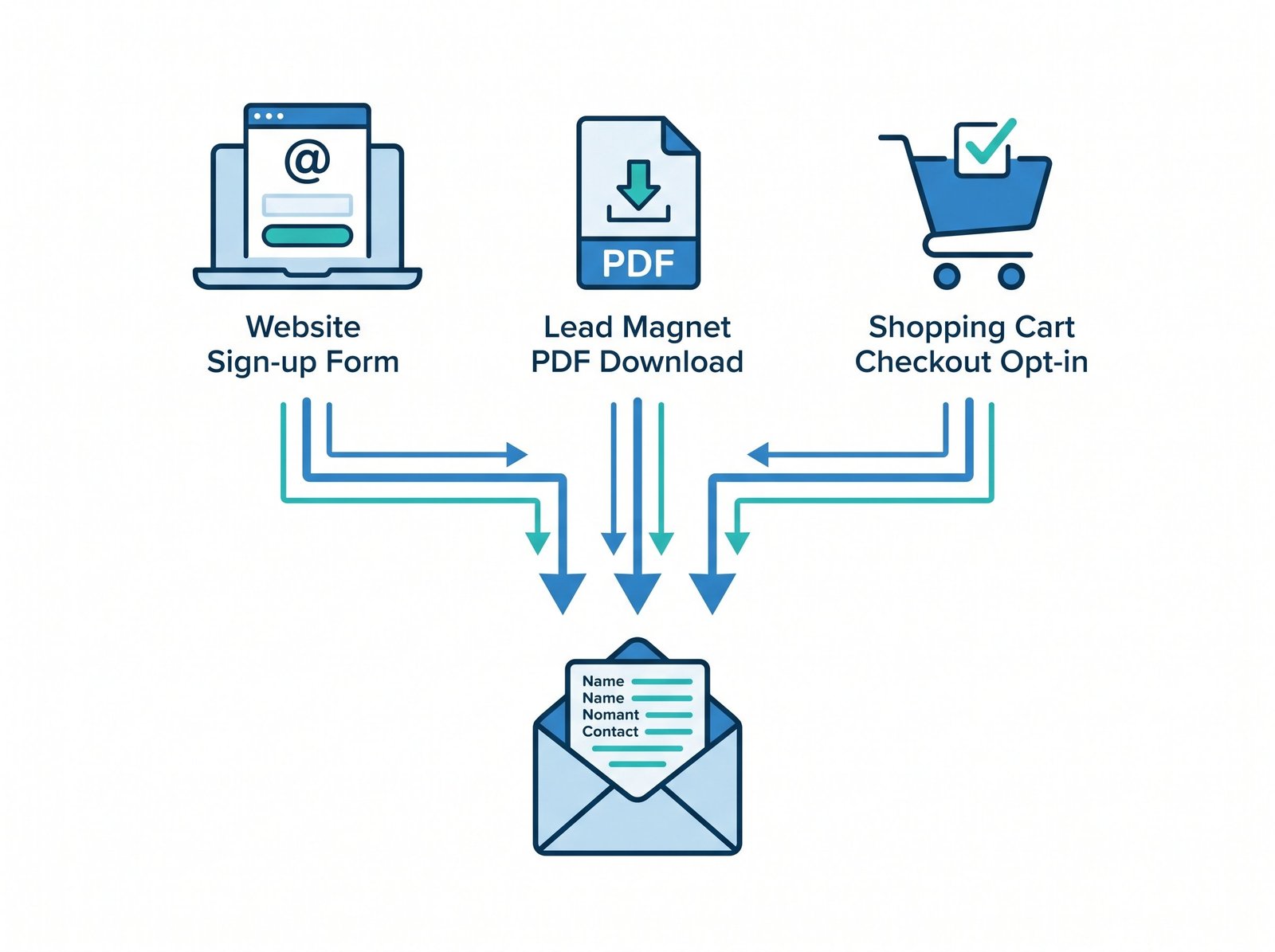
This is the part everyone wants to skip. They want the templates, the subject line tricks, the AI assistant that writes everything. None of it matters without a list that wants to hear from you.
Start with the people you already have
Your first 50 subscribers should come from your existing customer base. If you’ve been in business a year, you have these people. Pull them out of your CRM, your point of sale, your invoicing tool. Send them a short, personal email that says “I’m starting a newsletter with [specific value], here’s why you might want to subscribe, click here to opt in.” Don’t auto-add them. Get explicit opt-in. It’s the law in most jurisdictions and it’s the right thing.
Website opt-in placement, what works and what doesn’t
In order of effectiveness for SMBs I’ve worked with:
- Content upgrades on high-traffic posts. A specific, related lead magnet at the bottom of a popular article. Conversion rates of 4 to 8% are typical.
- Exit-intent popups, configured politely. Triggered after 30 seconds, dismissible, not aggressive. 2 to 4% conversion on engaged traffic.
- Footer signup with a real value prop. Not “subscribe to our newsletter.” Tell them what they get. “Get our weekly tip on [specific topic].” Slow but consistent.
- Sidebar opt-in. Modest, but contributes to the steady trickle.
What barely works: home page hero “subscribe” buttons with no incentive. Generic “stay in touch” forms. Modal popups that fire on page load before the visitor has read anything.
Lead magnets that actually convert
The lead magnet has to match the audience and the product. Generic “marketing tips PDFs” are dead. What works, by business type:
- Service businesses: A diagnostic tool, a checklist specific to a pain point, a free audit template. “The 12-point pre-launch SEO checklist.” “How much should you be paying for [X]: a calculator.”
- Ecommerce: First-purchase discount of 10 to 15% in exchange for email. Boring but reliable.
- B2B and consulting: Industry benchmark report, original research, a template the buyer would actually use.
- Creators and coaches: A free mini-course, a sample chapter, a Notion template.
What never to do
- Don’t buy lists. Ever. The deliverability damage is real, the legal exposure is real, and the ROI is negative. I’ve audited businesses that bought a 50,000-contact list and saw their sender reputation cratered for six months afterward.
- Don’t import contacts who never opted in. Business cards from a conference five years ago aren’t a list. Scraped LinkedIn contacts aren’t a list. Add them to your CRM if you want, but don’t drop them into a marketing send.
- Don’t use scraping tools to build “B2B lists.” Same problem. The unsubscribe rate, the spam complaints, the deliverability hit, it’s all worse than starting smaller and growing organically.
The principle: 200 engaged subscribers outperform 5,000 cold contacts. I’ve seen it again and again. A 2,000-person list with 35% open rates generates more revenue than a 20,000-person list with 6% open rates, and it costs less to maintain. List quality is everything.
What to Actually Send: The Part Most Guides Skip
Owners get stuck here. The list is built, the platform is configured, and the cursor is blinking in an empty email draft. Here’s what works.
The Welcome Sequence (3 to 5 emails)
This is the highest-leverage automation you’ll ever build. New subscribers are at peak engagement. Use that window.
- Email 1 (immediately): Welcome and deliver the lead magnet or promised value. Set expectations: how often you’ll send, what they’ll get. Ask them to whitelist your sending address.
- Email 2 (day 2 or 3): Tell your story or your company’s origin. Why you exist, who you help, what makes you different. Don’t pitch yet.
- Email 3 (day 5 to 7): Deliver pure value. A useful tip, a case study, something they can use today. Reinforces that subscribing was a good decision.
- Email 4 (day 10 to 12): Soft CTA. Introduce a product or service with a clear offer. Time-limited if appropriate, but not pushy.
- Email 5 (day 15 to 17): Social proof or transition into regular cadence. Customer story, testimonial, or just “here’s what’s coming next week.”
Once a subscriber finishes the welcome sequence, they flow into your regular newsletter. This is exactly the kind of flow where marketing automation for small business earns its keep, set it up once, and it works for every new subscriber from now on.
Your Regular Cadence
The “how often” question doesn’t have a universal answer, but here’s how I decide with clients:
- Weekly is the default. Frequent enough to stay top of mind. Sparse enough that you can produce quality. If you’re new, start here.
- Twice a week works for ecommerce. Especially with a mix of educational, lifestyle, and promotional content.
- Daily works for newsletter operators whose entire product is the email itself. It does not work for most other small businesses.
- Monthly is usually too sparse. Subscribers forget who you are between sends. Open rates drop. If you can only manage monthly, consider whether email is the right priority right now.
The other useful frame: consistency beats frequency. A reliable Tuesday morning newsletter that lands every week for two years beats a flurry of three emails in week one followed by silence for two months.
Content Ideas by Business Type
Service businesses (consultants, agencies, freelancers):
- Case studies with specific numbers
- “How I’d approach [common client problem]”
- Industry commentary and your take on trends
- Behind-the-scenes process content
- Occasional offer or service spotlight
Ecommerce:
- New product launches and restocks
- Bestseller roundups
- Customer stories and user-generated content
- Educational content related to your product (recipes for food brands, styling tips for apparel)
- Time-bound offers and seasonal campaigns
Local services (home services, restaurants, retail):
- Seasonal reminders (HVAC tune-ups, holiday hours)
- Local events and community involvement
- Customer spotlights
- Educational tips about your trade
- Loyalty rewards and referral asks
The Promotional vs Non-Promotional Ratio
The number to remember is 3 to 1 or 4 to 1, value to sell. Three or four emails that give the subscriber something useful for every one email that asks them to buy. Get this ratio wrong and your unsubscribe rate climbs, your spam complaints tick up, and your deliverability degrades over months.
“Value” doesn’t mean a 2,000-word essay. It means the subscriber gets something from opening it. A tip. A story. A laugh. A useful link. Permission to think about something differently.
Deliverability: The One Technical Thing You Can’t Ignore
Most small business owners want to skip this section. They shouldn’t. Deliverability is the difference between your email landing in the inbox and never being seen. In 2024, Google and Yahoo rolled out bulk sender requirements that made this non-negotiable for anyone sending to more than 5,000 contacts a day. Even below that threshold, the same rules quietly govern whether your emails reach the inbox at all.
SPF, DKIM, and DMARC in Plain English
You need to set up three records on your domain. Don’t panic, your email platform walks you through it.
- SPF (Sender Policy Framework): A DNS record that says “these mail servers are allowed to send email from my domain.” It prevents random spammers from forging your address.
- DKIM (DomainKeys Identified Mail): A cryptographic signature that proves the email actually came from you and wasn’t tampered with in transit.
- DMARC (Domain-based Message Authentication, Reporting, and Conformance): A policy that tells receiving servers what to do if SPF and DKIM fail. Required by Google and Yahoo for bulk senders.
You set these up once. Your email platform (Mailchimp, Kit, MailerLite, etc.) gives you the exact records to add. You log into your domain host (where you bought your domain, like GoDaddy or Cloudflare) and paste them in. The whole process takes 15 to 30 minutes if it goes smoothly and an hour if you need to call support.
If you skip this, you’ll see two things happen. Your emails will increasingly land in the Promotions tab or spam folder. And by 2024-2025 thresholds, Google and Yahoo will start rejecting your sends outright once you exceed their daily volume thresholds. There’s no workaround; just do it.
Signs Your Deliverability Has a Problem
Watch for these patterns:
- Engagement suddenly drops. Your open rates were 25% for six months and are now 12%. Probably more of your emails are landing in spam.
- Spam complaints tick up. Anything above 0.1% (one complaint per 1,000 emails) is a yellow flag. Above 0.3% is a red one.
- Emails increasingly land in the Promotions tab on Gmail. Not technically spam, but a signal that Gmail is downgrading your engagement signal.
- You hear from subscribers that they “didn’t get” your emails. Take it seriously, especially if it’s more than one or two reports.
When this happens, the fix is rarely a quick template tweak. It’s a list-quality review. Suppress unengaged subscribers (no opens or clicks in 90 days). Run a sunset sequence asking inactives if they still want to hear from you. Tighten your sign-up sources. Reduce frequency temporarily. Your sender reputation rebuilds over weeks, not days.
Measuring What Matters (Beyond Open Rates)
Apple’s Mail Privacy Protection rolled out in 2021 and broke open-rate tracking. iOS and macOS Mail users now have their open events pre-fetched in bulk, which inflates open rates and renders them unreliable as an engagement signal. Anyone telling you to “optimize for open rate” hasn’t updated their playbook in five years.
Here’s what to actually watch:
| Vanity Metrics (less reliable now) | Metrics That Actually Matter |
|---|---|
| Open rate (inflated by Apple MPP since 2021) | Click-through rate (CTR): % of recipients who clicked any link |
| Raw list size | Engaged list size: subscribers who opened or clicked in the last 30 to 90 days |
| Total sends per month | Revenue per email (RPE): total revenue from the campaign divided by emails delivered |
| Sign-ups for the month | Net list growth: new sign-ups minus unsubscribes and bounces |
| “Average open rate” | Click-to-conversion rate: % of clickers who completed the intended action |
| Likes or shares (mostly irrelevant for email) | Email-attributed revenue (set up UTM tracking; check your analytics) |
A useful reference point: typical small business CTRs land in the 1.5 to 3.5% range, and conversion rates from a click vary wildly by offer (anywhere from 1% to 15%). For broader benchmarks, look at Mailchimp’s industry email marketing benchmarks, which break down rates by sector. Just remember the open-rate numbers in any post-2021 benchmark have a known Apple MPP distortion baked in. Use them as directional, not absolute.
The other underrated signal: unsubscribe rate. A small, steady unsubscribe rate (under 0.5% per send) is healthy and actually improves your sender reputation by self-selecting your list. A spike in unsubscribes after a specific send means that send missed the mark. Read the signal; don’t ignore it.
CAN-SPAM and GDPR: A Plain-English Checklist
This isn’t legal advice. It’s the bare-minimum checklist I run through with every small business client before their first send. For the canonical text, refer to the FTC’s official CAN-SPAM Act compliance guide.
CAN-SPAM (United States) basics
- Don’t use false or misleading header information. Your “From” name and email address must accurately identify you or your business.
- Don’t use deceptive subject lines. If the email is promotional, it should read as such.
- Identify the message as an ad if it is one. Plain language is fine.
- Include your valid physical postal address in every email.
- Tell recipients how to opt out, in a way that’s clear and easy.
- Honor opt-out requests within 10 business days.
- Monitor what others are doing on your behalf. If you hired a freelancer to run your sends, you’re still on the hook for compliance.
GDPR (European Union, plus UK GDPR for British recipients)
- Get clear, affirmative consent. A pre-checked box doesn’t count.
- Tell people what they’re signing up for at the moment they sign up.
- Make unsubscribe as easy as subscribe. One click, no login required.
- Honor data deletion requests (the “right to be forgotten”).
- Keep records of consent. Your email platform usually does this automatically, but confirm.
For most US-based small businesses sending to US lists, CAN-SPAM is the binding standard. If you have any subscribers in the EU or UK, you’ll want to apply GDPR-level standards across your list. It’s easier to run one compliant process than two.
A practical note: every reputable email platform handles the unsubscribe link, the physical address footer, and the consent records by default. The compliance work isn’t the technical setup. It’s about how you build the list in the first place. If you got the address legitimately, with clear opt-in, and you honor unsubscribes, you’re almost certainly fine.
When to Hire Help
The honest signal: if your weekly email isn’t getting written, or it’s taking you four hours instead of two, or you’ve avoided looking at the reports for a month, the system needs help. That’s not a moral failing. It’s how most small businesses end up with dormant lists.
The options, in order of typical engagement:
- A freelance email marketer who writes and sends your weekly newsletter and runs your basic automations. Best when you know what to send but don’t have the time to write and ship it.
- An email marketing consultant who builds the strategy, sets up the welcome sequence and core flows, and trains your team to run it. Best when you have someone in-house who can execute but need senior strategy to point them at the right work.
- A marketing automation consultant who designs and implements the broader automation system across email, CRM, and other channels. Best when email is one piece of a more complex stack, you’re running an integrated lifecycle program, or you’ve outgrown a single-tool setup.
The right model depends on whether you need execution, strategy, or systems work. In my experience, most small businesses get the best results with a hybrid: a short consulting engagement to set up the strategy, automations, and reporting cadence, then a freelance writer who runs the weekly sends inside the structure we built. The handoff is what makes it sustainable.
If you want to talk through which model fits your situation, you can reach me directly at ianadair.com. The first conversation is free and I’ll tell you honestly whether you need help or just need to commit to the routine.
Frequently Asked Questions
How much does email marketing cost for a small business?
For a list under 1,000 subscribers, expect $0 to $20 per month for the platform. As you grow past 5,000 subscribers, plan on $50 to $150 per month. Beyond the platform cost, the real expense is time or labor: either 2 to 3 hours a week of your own time or $500 to $2,000 a month for a freelancer to run sends and basic automations. A consultant for strategy and setup typically runs $2,000 to $7,500 as a one-time engagement, depending on scope.
How often should a small business send emails?
Weekly is the default for most small businesses. Twice weekly works for ecommerce with strong content variety. Monthly is usually too sparse to maintain subscriber engagement. The principle: consistency beats frequency. A reliable weekly send for two years beats a daily blitz that burns out in three months.
What’s the best email marketing platform for small businesses?
There isn’t a universal “best.” MailerLite offers the best value for cost-conscious SMBs with a clean editor. Kit (formerly ConvertKit) is best for creators and coaches. Klaviyo is the standard for ecommerce, especially Shopify stores. ActiveCampaign is strongest for service businesses with complex automations. Pick by your business model and how you’ll actually use it, not by feature lists.
How do I grow my email list as a small business?
Start with your existing customers (with explicit opt-in). Add a website signup form with a clear value proposition, not just “subscribe to our newsletter.” For high-traffic websites, content upgrades on popular posts convert well. Avoid buying lists or importing contacts who never opted in. List quality beats list size every time: 200 engaged subscribers outperform 5,000 cold contacts.
Is email marketing still effective in 2026?
Yes, and arguably more so than five years ago. As social media reach has declined and ad costs have climbed, email remains the only channel where you fully own the audience. ROI averages around $36 for every dollar spent. The catch: it requires real work and consistency. Businesses that treat email as a “set it and forget it” channel see disappointing returns. Those that commit to it see compounding results year over year.
Recent Comments